


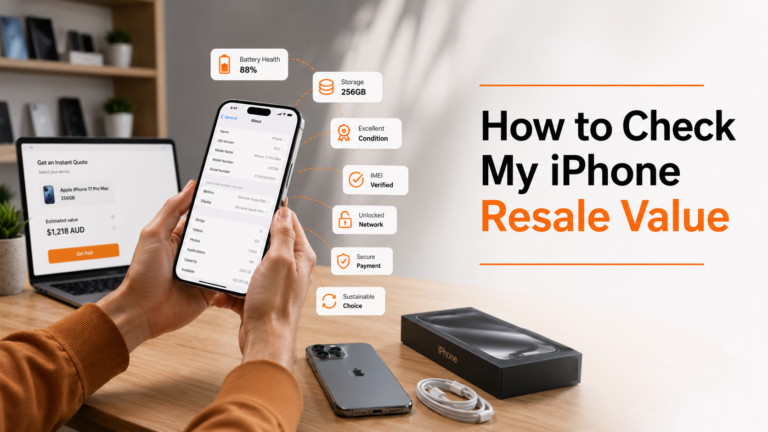
Thousands of iPhones are sitting unused in drawers across Australia, slowly losing value as demand for quality second-hand devices remains high. Many Australians are unsure about the market value of older handsets, even though an old iPhone can still be worth hundreds of dollars.
Every iPhone loses value over time, but not at the same rate. Two identical models can receive very different offers depending on the condition, battery health, storage capacity, and current demand in the Australian resale market, so there’s no single price that applies to every device.
This guide covers what influences your iPhone’s resale value, helps you compare offers, avoids underselling your device, and finds practical ways to maximise your return before selling it.
What Factors Affect Your iPhone’s Resale Value?
Your iPhone’s resale value depends on more than its age. Buyers and phone buy-back services evaluate its model, storage, condition, battery health, and overall functionality to determine its true worth. Understanding these factors helps you estimate a realistic price, compare offers, and maximise your return.
Model and release year
Latest iPhones generally retain their resale value better as they receive longer software support, faster performance, and high-demand features. Pro and Pro Max models also tend to command higher resale prices than standard models. However, well-maintained models from older generations can still hold their value if they receive current iOS updates.
Storage Capacity
Storage capacity directly influences resale values. Higher storage tiers, such as 256GB, 512GB, or 1TB, will be valued higher than the same model with 128GB, assuming both devices are in the same condition.
Cosmetic Condition
An iPhone’s condition plays a significant factor in determining its resale value. Before making an offer, buyers and trade-in services assess the device’s appearance and performance.
During an assessment, they’ll typically check:
- Screen condition
- Rear glass
- Frame and edges
- Camera lenses
- Buttons and ports
- Face ID or Touch ID functionality
- Charging port
- Overall presentation
According to the inspection, your iPhone may fall into one of the following condition grades:
| Condition | Typical Description |
| Brand New | Unused device in original condition with no signs of wear. |
| Mint | It is completely functional and appears nearly new with little to no wear. |
| Good | Minor scratches or signs of normal wear and tear are present, but everything works properly. |
| Fair | Visible cosmetic wear, such as scratches or dents, while remaining fully functional. |
| Partially Damaged | Has physical damage or faults but still turns on and works. |
| Faulty/Dead | Won’t turn on or has major hardware issues that need repairing. |
Being honest about your iPhone’s condition helps you receive a fair valuation and reduces the risk of the offer changing after inspection. Even if the devices are partially damaged or faulty, they can still be valuable for parts or repaired.
Battery Health
Buyers want a device that has a long battery life and does not need to be replaced regularly. Hence, battery health is one of the most important factors influencing iPhone resale value in Australia. To see how healthy your iPhone battery is, you can view this information under Settings > Battery > Battery Health & Charging. A battery at 80% is considered reliable and desirable for resale.
Accessories and Original Packaging
While extras won’t significantly improve the valuation, the original retail box and undamaged charging cables benefit and signal that the device was well handled.
Carrier Lock Status
Unlocked iPhones typically have a higher resale value because they can be used on most Australian mobile networks. Carrier-locked devices appeal to fewer buyers, which may reduce the demand and lower the final offer.
Find My iPhone and iCloud Status
Before your iPhone can be valued or sold, sign out of iCloud, turn off Find My iPhone and remove Activation Lock. If Activation Lock remains enabled, the new owner won’t be able to activate the device, which can delay or prevent the sale.
Market Timing
The timing of the sale affects the resale value. The iPhone usually begins to lose value when a newer version is announced and tends to lose more value after the annual announcements.
Selling before a new iPhone launch can help you get a better price. If you’re upgrading, check your phone’s value early and compare offers before demand shifts to the latest model.
How to Check Your iPhone’s Resale Value in 3 Simple Steps
Checking your iPhone’s resale value doesn’t require expert knowledge. By collecting a few essential details about your device, you can more accurately compare offers and avoid accepting less than what it is worth.
Step 1: Confirm Your iPhone Model and Storage Capacity
Start by identifying your exact device.
Go to: Settings > General > About
Here you’ll find important information, including:
- Model name
- Model number
- Storage capacity
- Serial number
Having accurate device details ensures you’re comparing prices for the correct iPhone model.
Step 2: Assess Its Condition Honestly
Check battery health and physical condition honestly by going to Settings > Battery > Battery Health & Charging.
Check for:
- Scratches or dents
- Cracked screen or rear glass
- Camera damage
- Charging issues
- Button functionality
- Speaker quality
- Face ID or Touch ID performance
Checking these details allows for a more accurate value and reduces the chance of price changes after inspection.
Step 3: Compare Prices Using an Instant Valuation Tool
Once you’ve confirmed your iPhone’s specifications and condition, compare offers using an instant phone valuation tool.
Most professional phone buyback services calculate quotes based on:
- Model
- Storage capacity
- Battery health
- Cosmetic condition
- Current market demand
Using an online valuation tool gives you a quick estimate of your iPhone’s resale value and makes it easier to compare different selling options before making a decision.
Where should you sell your iPhone in Australia?
Knowing your iPhone’s resale value is just as important as knowing where to sell it. Australians have several options, including private marketplaces, carrier trade-ins, and professional phone buy-back services. If you’re looking for a straightforward online selling experience, Mobile Guru is one option that lets you check your iPhone’s value and sell your device without negotiating with individual buyers. Ultimately, the right choice depends on whether your priority is achieving the highest possible price, receiving payment quickly, or enjoying a simple and secure selling process.
Phone Buy-Back Services
A professional phone buy-back service is the most convenient, secure, and cost-competitive option for many Australians. There’s no need to create listings or contact buyers; you can get an online quote, send the device for inspection, and get paid once it has been checked.
One of the trusted phone buy-back services available in Australia is Mobile Guru, where you can sell your old iPhone entirely online. Once you enter your device’s model, storage capacity, and condition, you can instantly get the price of your phone according to the market demand. This gives you a clearer idea of your iPhone’s resale value before you decide to sell it.
Professional buy-back services are ideal if you:
- Want to avoid dealing with multiple buyers.
- Choose a trusted Australian business for secure payment.
- Want fast and easy selling.
- Want an obligation-free quote before committing to a sale.
Selling Privately
Private platforms such as Facebook Marketplace, Gumtree, and eBay can offer better prices, especially for newer gadgets that are in good condition. However, private sales require more time and effort.
You will have to make the listings, answer questions, price them and manage the payments and deliveries. This is also more likely to be a scam and less reliable for buyers who don’t want to deal with the entire process.
Carrier and Apple Trade-In Programs
iPhone trade-in programmes, like those from Apple and Australian carriers, offer credit towards your next phone. While convenient for upgrades with the same provider, the trade-in value may not be the highest you can achieve when selling your phone.
Many vendors compare trade-in offers with independent buy-back services before making a decision. Obtaining multiple quotes will give you a clearer idea of your device’s market value and the best return.
Planning your next upgrade
By selling the old iPhone, you can save on the purchase of your new one. While many people choose to buy the latest model, others buy refurbished phones because they offer excellent value without compromising performance.
The devices are professionally refurbished and tested, cleaned and graded before they’re sold, and many come with a warranty for added peace of mind. Refurbished iPhones come in a range of options and can be a great alternative to a brand-new iPhone for those looking to upgrade without overspending.
Comparing Your Selling Options
| Selling Option | Potential Return | Convenience | Time Required | Best For |
| Phone buy-back service | High | Excellent | Low | Sellers who want a fast, secure and hassle-free experience |
| Apple or carrier trade-in | Moderate | Excellent | Low | Customers upgrading through the same provider |
| Facebook Marketplace | High | Moderate | High | Sellers willing to negotiate for the highest possible price |
| Gumtree | Moderate to High | Moderate | High | Local face-to-face transactions |
| eBay | Moderate to High | Moderate | Moderate | Sellers comfortable managing online listings and postage |
How Can You Maximise Your iPhone’s Resale Value?
Before you sell your iPhone, there are a few tips you should follow to make the iPhone more appealing and get a better price. Proper preparation also helps avoid delays in the inspection process and helps you sell your device easily.
Sell Before a New iPhone Launch
When Apple releases a new iPhone Generation, the value of the previous model is likely to fall. If you’re looking to sell your iPhone before the launch, you’ll be able to get a better offer since older models are still in demand.
Prepare Your iPhone Properly
Backup all of your data, sign out of iCloud, disable Find My iPhone, remove Activation Lock and delete all content and settings before you sell your iPhone. These steps will help to ensure that your personal information is kept secure and that the new owner can set up the device without any problems.
Present Your Device Well
Clean phones make a good impression. Boxes with dust ports and fingerprints should be cleaned, and if possible, the original box and accessories should be included. If you’re selling the iPhone privately, be sure to put photos in the listing that clearly show the condition of your phone.
Review and compare multiple offers.
Different resellers and trade-in or phone buy-back services may offer different prices for the same iPhone. Spending a few extra minutes checking out the value of your phone with several providers will help you compare offers and pick one that offers the best mix of cost, convenience and security.
iPhone Selling Checklist
Before selling your iPhone, make sure you’ve completed these essential steps:
- Back up your data.
- Sign out of iCloud.
- Turn off Find My iPhone.
- Remove Activation Lock.
- Erase all content and settings.
- Remove your SIM card or eSIM.
- Check your battery health.
- Clean the device.
- Gather the original box and accessories, if available.
- Compare quotes before accepting an offer.
The Final Verdict: Make Every Dollar Count
An older iPhone may still have good resale value. Understanding the factors that affect its price can help you maximise your return. Your iPhone’s model, condition, battery health, and the timing of your sale all play an important role in determining how much you can receive.
Before accepting the first offer, take the time to compare your selling options and also see the market value of your device. Selling your iPhone through a trusted Australian phone buy-back service such as Mobile Guru can provide a fair market valuation, giving you the confidence to compare offers and make an informed decision. Just a few minutes of research today can help you get a better return and make every dollar count.
