


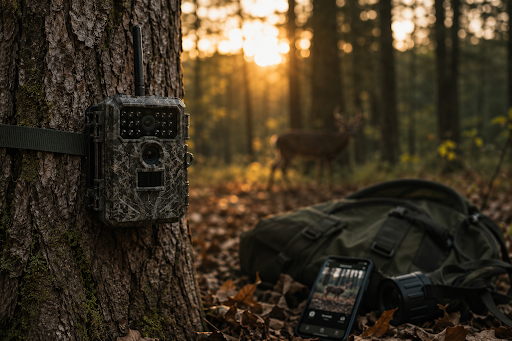
Many outdoor enthusiasts struggle to collect useful wildlife information because of simple mistakes. Research shows that poor trail camera deployment can cause cameras to miss up to 68% of verified animal activity. It shows that managing your equipment incorrectly can leave you unaware of movements in your woods.
Proper trail camera management requires a smart approach to setup, positioning, and regular maintenance to help your equipment capture every important moment.
Objective of This Blog
The purpose of this guide is to highlight common mistakes hunters and property owners make during field deployments. Learning about these technical and physical errors helps improve coverage. It also protects your equipment investment and helps you get more from your digital scouting systems.
Key Takeaways
- Always point your lenses north or south to prevent glare and overexposed images.
- Avoid standard rechargeable cells and cheap alkaline options to maintain consistent trigger voltage.
- Format your storage cards internally within the specific camera unit before every single deployment.
- Utilize dedicated tracking interfaces to monitor battery levels, cell signals, and historical wildlife movements.
- Trim all low-hanging branches and tall weeds within the sensor field of view to eliminate false triggers.
Table of Contents
- The Mechanics of Poor Trail Camera Management
- Mistake 1: Pointing the Lens Directly East or West
- Mistake 2: Mixing Up SD Cards Across Multiple Units
- Mistake 3: Relying on Low-Quality or Rechargeable Batteries
- Mistake 4: Disregarding Digital Fleets and Cloud Organization
- Mistake 5: Setting the Sensor Sensitivity Too High Over Active Vegetation
- Elevating Your Wildlife Surveillance Strategy
- Frequently Asked Questions
The Mechanics of Poor Trail Camera Management
Failing to plan your deployment strategy reduces your intelligence-gathering capabilities in the field. When scouting assets are treated with a set-it-and-forget-it mentality, system failures quickly compound. Modern high-resolution cameras require oversight through dedicated trail camera monitoring software to keep settings optimized. Without structured data review, a single unformatted storage card can stop an entire season of scouting progress in its tracks.
Mistake 1: Pointing the Lens Directly East or West
Mounting a camera straight toward the rising or setting sun is an easy way to ruin your media files. When the sun sits low on the horizon, the direct light completely blinds the sensor.
- Washed-Out Frames: This positioning creates overexposed frames precisely during the peak morning and evening hours when target animals move the most.
- Wasted Field Time: You will end up with thousands of empty, overexposed white images that fill up your storage.
- Physical Adjustment: To solve this problem, you should aim your mounting brackets due north or south whenever the local terrain allows it. This simple physical adjustment ensures consistent lighting across the landscape throughout the day.
- Vegetation Issues: It also reduces false motion triggers caused by rapid shifts in sunlight intensity on nearby vegetation.
Mistake 2: Mixing Up SD Cards Across Multiple Units
Using the same storage card across different camera models invites severe file corruption. Every manufacturer utilizes a distinct file directory architecture to save pictures and videos. To avoid this, utilizing a unified tracking approach from your primary trail camera management dashboard can help you keep track of which card belongs to which specific device.
- Software Confusion: When you pull a card from one device and slide it into another without cleaning it, the software gets confused.
- System Failures: This bad habit can lead to unreadable files, missing media, or a completely locked camera system.
- Checklist Routine: A smart deployment checklist requires formatting every storage card directly inside the specific camera you are using.
- No External Tools: Never delete files using an external digital camera or a laptop while standing in the woods. Let the camera clear its own storage space through its native menu system to keep the file structure completely intact.
Mistake 3: Relying on Low-Quality or Rechargeable Batteries
Cheap power sources represent a primary cause of technical support calls in the outdoor scouting industry. Standard rechargeable batteries are highly problematic for outdoor sensors because they naturally output a lower native voltage than lithium options. Integrating a modern trail camera monitoring software program helps you track these sudden voltage drops remotely before the unit dies.
- Voltage Drops: While a lithium cell provides a steady 1.5 volts, a rechargeable option often sits at 1.2 volts.
- Premature Shutdowns: The internal calculation systems inside your camera will read this lower voltage as a dying power source, causing the unit to shut down prematurely.
- Weather Vulnerability: Inferior off-brand alkaline options also fail quickly under extreme weather conditions. When temperatures drop below freezing, alkaline chemistry degrades rapidly, leading to missed triggers or complete power failure.
- Consistent Power: Investing in high-quality lithium batteries ensures your gear retains enough power to run the flash, capture high-definition video clips, and transmit cellular data continuously.
Mistake 4: Disregarding Digital Fleets and Cloud Organization
Managing more than three or four cellular units can quickly turn your media organization into a nightmare if you rely on scattered emails or text notifications. Trying to sort through thousands of wildlife photos across multiple individual platforms leads to missed patterns and forgotten assets. Property managers can lose track of active locations or fail to notice when a specific unit stops transmitting due to a low cell signal.
To prevent this issue, serious property managers use a professional trail camera dashboard to view status updates from all of their field equipment in one place. Moving your workflow away from local hard drives and text alerts keeps your files safe and accessible.
- Automated Mapping: Mapping your camera locations allows you to tag specific target animals automatically. This system organizes your arriving media by temperature, time, and moon phase to reveal clear behavioral trends.
- Remote Tracking: By keeping all your wireless assets feeding into a single hub, you can easily monitor battery health, signal strength, and card storage capacity from home. This organized structure eliminates the need to trek into sensitive bedding areas just to check on a machine, keeping your human scent entirely out of the hunting zone.
- Actionable Intelligence: Using the cloud ensures that your field data turns into actionable hunting intelligence instead of becoming a cluttered pile of digital files.
| Management Element | Poor Approach | Optimized Approach |
| Data Hub | Scattered local folders | Centralized trail camera dashboard |
| Image Sorting | Manual browsing by date | Integrated sorting software |
| Status Tracking | Physical field checks | Remote battery and signal alerts |
Mistake 5: Setting the Sensor Sensitivity Too High Over Active Vegetation
Leaving your passive infrared sensor sensitivity on the maximum setting in a brushy area causes immense resource drain. When seasonal winds pick up, tall weeds, saplings, and hanging leaves move rapidly within the detection zone. Tracking these high-volume false events on your favorite trail camera monitoring software will let you know when it is time to adjust your settings.
- Thermal Triggers: If the sensitivity threshold is too high, the camera will interpret this thermal and physical movement as an animal, triggering thousands of blank photos.
- Area Preparation: You should carefully clear out all major branches, high grass, and brush within a twenty-foot radius of the lens during setup.
- Threshold Settings: Additionally, adjust the internal settings to a medium or low sensitivity level when monitoring windy food plots. This baseline configuration prevents aggressive battery depletion caused by useless motion events.
Elevating Your Wildlife Surveillance Strategy
Improving your field intelligence needs quality gear reviews, battery optimization plans, and field-tested positioning tutorials. Creating a steady routine for your trail camera management helps keep your hardware settings aligned with your digital organization.
The experts at Trail Cam Hub simplify complex wireless technology, network setups, and data management into useful scouting solutions. They provide carefully researched and objective assessments of leading cellular and traditional SD card options to remove the guesswork from your seasonal preparation with easy, practical field guidance.
Trusting their actionable, field-tested troubleshooting guides helps you optimize your camera fleet and capture every critical moment this season.
Frequently Asked Questions
1. Why does my trail camera management strategy fail in heavy winter snow?
Sub-zero temperatures drop battery voltage quickly. Cold air also tricks passive infrared sensors, which causes missed shots or random triggers. Facing units away from heavy snow drifts prevents false recordings.
2. Can a poor cellular signal cause major data transmission delays?
Yes. A weak cell connection forces the transmitter to work harder, which drains your batteries. It also delays your updates from appearing on your centralized trail camera dashboard interface. Moving the unit just ten feet can fix the network connection.
3. How often should I look for application and firmware updates?
Manufacturers release updates every season to patch bugs and improve security. Installing these changes ensures your gear syncs perfectly with your chosen trail camera monitoring software program.
4. What is the best height to mount a scouting camera to avoid glare?
Mount your housing at least six feet high. Tilt the lens downward slightly to capture target animals while keeping the horizon out of the frame.
5. Does wind affect nighttime flash ranges?
Wind moves heavy brush, which disrupts the sensor’s focus. Clearing small limbs ensures your nighttime flash illuminates the actual subject instead of dark moving leaves.
