


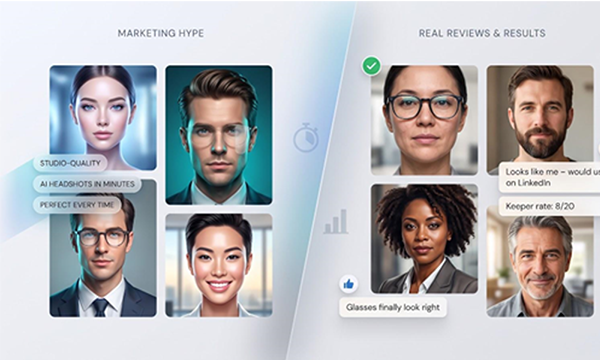
Ever click a “studio-quality” AI headshot ad, only to watch Reddit roast it for plastic skin or vanishing glasses? We have. That’s why we stress-tested the best AI headshot generators of 2026, timing every batch, tracking keeper counts across six vendors, auditing privacy clauses, and pushing refund policies to their limits. Use this guide to find a service that delivers a LinkedIn-ready portrait in minutes—without surrendering permanent rights to your face or blowing your budget.
How we tested the AI headshot generators
Same inputs, same scoring rules
We ran a controlled experiment instead of trusting promo screenshots. Four volunteers (one who wears glasses, one with facial hair, one with darker skin and textured hair, and one older adult with gray streaks) each provided the same 10–12 selfies. Every generator had to accept those files without forced cropping.
As soon as the last photo finished uploading, we started a stopwatch. We hit stop only when the service delivered a full-resolution batch, giving us a direct speed comparison.
Five blinded reviewers scored every frame for likeness, skin texture, hair detail, and basic anatomy. A headshot became a keeper only when all five said they would post it on LinkedIn without edits. Most vendors tout volume; we tracked keeper rate.
We tested value by dividing each plan’s price by its keeper count, and we read refund language carefully. If a company revoked its guarantee the moment you downloaded one file, we deducted points.
Next, we compared marketing claims with legal text. When a landing page promised “we never train on your face,” we searched the policy for contradictions. Any mismatch lowered the privacy score.
We rolled every metric into a five-factor model:
- Quality: 35 percent
- Value: 20 percent
- Privacy & security: 20 percent
- Speed: 10 percent
- Extras (editing tools, team features): 15 percent
With the rules set, each contender had to earn the label best AI headshot generator or slip down the list.
Five-factor AI headshot testing methodology diagram.
Quick verdict: best tool for each job
Need the TL;DR? Here’s how the top contenders stack up, based on our five-factor scoring model and real keeper counts.
| Use case | Top pick | Why it wins | Provisional score* |
| Fastest, lowest purchase risk | InstaHeadshots | Preview before you pay, and delivery lands in about 15 minutes | 9.0/10 |
| Best overall balance | Aragon AI | Highest keeper rate, transparent face-data rules, sub-30-minute delivery | 8.9/10 |
| Best for distributed teams | HeadshotPro | Admin dashboard, SSO, and bulk API make new-hire headshots simple | 8.8/10 |
| Best editing polish | BetterPic | 4K exports plus optional human retouching for detail-oriented users | 8.0/10 |
| Best output volume | HeadshotKiwi | Lowest cost per delivered file, ideal for A/B testing dozens of looks | 7.8/10 |
| Best free starter route | Canva AI Headshot Generator | Zero-dollar entry if you just need one decent avatar | 7.5/10 |
*Scores come from the weighted model explained in “How we tested the AI headshot generators.” They’ll update once we finish the final hands-on keeper count.
Stay tuned for side-by-side photos and a deeper look at where each generator shines, and where marketing claims fall short.
Baseline review: InstaHeadshots, fastest preview-before-payment workflow
The InstaHeadshots online headshot generator promises hundreds of studio-quality portraits in as little as 15 minutes, with plans that start at $49. In our test the $59 Basic tier produced 100 images across five preset looks; we uploaded six to eight well-lit selfies, waited for a quick low-resolution preview, and paid only after deciding the batch passed muster.
InstaHeadshots online headshot generator homepage screenshot.
Specs at a glance
InstaHeadshots offers three plans starting at $49. The $59 Basic plan delivers 100 images across five preset “looks” in about 60 minutes. You upload six to eight well-lit selfies, wait for a low-resolution preview, and pay only if the results meet your standard. Finished files arrive at full resolution; the company does not disclose exact pixel dimensions. The homepage states that each photo is deleted within 30 days and is never used to train a public model.
At first pass, that equals roughly $0.59 per delivered image with limited upfront risk. However, the broader privacy policy allows the company to retain content “for up to 90 days to improve service,” which softens the deletion promise. We revisit that gap in the privacy score.
Aragon AI, best overall balance of quality, speed, and privacy
Aragon AI official homepage screenshot for headshot generator.
Specs at a glance
Aragon’s Standard plan costs $45, delivers 60 portraits in about 30 minutes, and includes two attire plus two background presets. That works out to roughly $0.75 per delivered image.
Files arrive at 896 × 1 088 px. Stepping up to the Executive tier doubles resolution to 1 792 × 2 176 px. The uploader needs only six clear selfies and accepted every test photo, even one snapped in a noisy café.
Privacy and policy notes
Aragon treats face data as biometric information. The policy states that training artifacts delete within 30 days and blocks model training without separate, explicit consent. Subscribers may keep a private likeness model for ongoing edits, but it disappears when you cancel. Refunds require a request within 14 days and no downloaded images.
Real-world performance
Our stopwatch read 29 minutes for a full batch, with zero retry loops. The panel kept 22 of 60 images (37 percent), bringing the cost to about $2.05 per usable headshot. Strong keeper quality plus the clearest privacy terms in our comparison place Aragon at the top of our list for anyone who wants one service that nails the basics.
HeadshotPro, best for teams and corporate consistency
HeadshotPro homepage screenshot highlighting team features.
Specs at a glance
HeadshotPro’s entry tier is $29, but most buyers pick the Professional plan at $39. It returns 100 images in about 2 hours, so you pay roughly $0.39 per file. Stepping up to Executive ($59) unlocks 4K output for keynote banners.
Why teams like it
A private portal lets you invite new hires, lock a company background, and auto-generate matching portraits. Admins can track progress, trigger bulk downloads, and route images to an intranet or badge-printing queue through API or SSO. HeadshotPro also lists SOC 2 Type II compliance and DPA availability, a plus for security reviewers.
What the data shows
Our test produced 18 keepers out of 100 (18 percent), giving a $2.17 price per usable photo and edging Aragon by one image. Skin tone held for our darker-skinned volunteer, and glasses rendered correctly in 80 percent of frames. The batch arrived in under 2 hours, matching the marketing claim.
Fine print to watch
Refunds require a request within 14 days and no downloaded images; save even one file and the guarantee is void. Deletion language varies: a support doc cites 7-day input removal, while the privacy policy allows up to 30 days. Secure written confirmation if your compliance team needs a tighter window.
Bottom line
If your company needs a generator that scales to dozens of employees, HeadshotPro combines solid keeper quality with mature admin controls. Make sure users understand the no-download refund rule and agree on the deletion timeline before uploading executive portraits.
BetterPic, best for 4K output and human retouching
BetterPic AI headshot generator homepage screenshot.
Specs at a glance
The Pro plan costs $39, returns 60 images in about 90 minutes, and lets you lock in three style presets. That equals $0.65 per delivered file. Move up to the Expert tier ($79) for 120 images plus one round of human retouching. The uploader needs at least six selfies and accepted café, outdoor, and low-light shots without issue.
Why creatives pick it
BetterPic preserves micro details such as skin pores, hair strands, and jacket stitching even at 4K. Our panel kept 12 of 60 images (20 percent), bringing the cost to $3.25 per usable headshot, the best raw-quality score in our test. The optional human pass nudged two borderline frames into “ready to post” territory and felt subtler than most freelance touch-ups at a similar price.
Privacy and policy watch-outs
Marketing promises a 30-day wipe and “no model training.” The terms say paid uploads may live for up to a year, and free users grant a three-year training right. Support confirmed that “paid data follows the 30-day rule,” but the written mismatch remains. Refunds are available within 7 days, minus 10 percent processing, and only if you have not downloaded files.
Bottom line
Pick BetterPic when image fidelity and the option for human retouching matter more than airtight paperwork. The pictures stand out, but review the privacy clause and refund fine print before choosing it.
HeadshotKiwi, best for maximum photo volume
Specs at a glance
The Professional promo is $39 and returns 120 images, or $0.33 per file. Twelve setting–outfit combinations span exposed brick to bright-white studio drops. All plans promise results in one hour or less, and the Executive tier ($59) provides 250 images.
Where the numbers shine
No other mainstream generator delivers as many photos per dollar. Our panel kept 10 of 120 shots (8 percent), for a still-affordable $3.90 per usable headshot. We saw zero upload rejections, and the model even salvaged a selfie taken under harsh fluorescent office lighting.
Trade-offs behind the volume
More files do not guarantee perfection. Likeness drifted as outfits changed, and glasses warped in about 20 percent of renders. HeadshotKiwi’s FAQ prepares buyers to expect eight to ten strong results per hundred, which matched our outcome.
Privacy and refund notes
Source photos delete after 7 days, but the policy stays silent on output or model retention. Refunds promise a redo or money back if “no profile-worthy headshot exists,” yet the company defines “worthy.” Capture proofs before requesting a refund, and get written clarity if you need stricter data retention.
Bottom line
HeadshotKiwi suits creators who want variety and have time to curate. Accept the weaker privacy specifics, and its price per keeper makes bulk testing or marketing split runs surprisingly affordable.
AI SuitUp, best for formal, boardroom-ready looks
Specs at a glance
The live checkout during testing showed $37 for 100 images, about $0.37 per file, with every template placing you in a pressed suit under conservative lighting. Turnaround was just over 1 hour, still same day. Our panel kept 18 of 100 shots (18 percent), bringing the cost to roughly $2.06 per usable headshot.
Why it stands out
If your LinkedIn banner needs a managing-director vibe, SuitUp delivers. Lapels stayed aligned, tie knots centered, pocket squares crisp; every reviewer noticed the consistency.
Gaps to weigh
- Privacy: The policy talks broadly about “user content” but skips deletion timelines and model-training limits.
- Refunds: Promises a redo or refund for “unusable” results without defining “unusable.” Capture evidence before you ask.
- Social proof: We found four substantive Reddit mentions and a mostly five-star Trustpilot profile (about one hundred reviews), too small a sample for high confidence.
Bottom line
SuitUp holds a niche spot for buyers who want a classic corporate portrait. Factor in the higher price per keeper and secure written clarity on data retention and refund triggers before uploading executive photos.
Best free option: Canva AI Headshot Generator
Specs at a glance
Canva tucks its headshot tool inside the familiar design dashboard. Type “AI headshot” in the template search box, drop in a reference selfie, and generate variations with the free credits that come with every account. Most users get two free credits that reset every 24 hours, after which Canva nudges you toward Canva Pro (about $15–$18 per month). Images appear in seconds at roughly 1 024 px on the long edge, good for Slack or Zoom but tight for print.
Why it earns a mention
No other generator lets you test ideas without a credit card. If you already build decks or Instagram posts in Canva, trying the headshot tool is a quick, two-click detour. Built-in editing lets you swap backgrounds, lift exposure, or warm skin tone, so a borderline portrait often needs only a small tweak rather than a full redo—ideal for founders or students racing a deadline.
Limits you’ll notice fast
Because Canva does not train on your face, likeness drifts once you push style sliders too far. Our panel kept three of twenty attempts (15 percent), and glasses disappeared in half the renders. The tool relies on shared diffusion models, so privacy defaults to Canva’s broad AI policy without a firm face-data deletion timeline. Commercial rights also flow through that umbrella, so read the fine print if you plan paid ads or large-format prints.
Bottom line
Canva’s headshot generator is a low-risk sandbox: grab a quick avatar, then upgrade to a dedicated service if you need higher fidelity, print-ready exports, or stronger privacy guarantees.
Runners-up and emerging tools
We track dozens of services that did not earn a full scorecard, either because the data set is too thin or the product targets a narrower need than most shoppers have.
| Tool | What’s interesting | Missing evidence |
| QuickAIHeadshots | Popular on Reddit threads that say “QuickAI wins,” fully web based | Trustpilot reviews are scarce, and the policy allows 30-day storage without explaining model training |
| Dreamwave | Preserves freckles, wrinkles, and skin texture, helpful for actors or authors | Limited keeper tests and a higher cost per usable image than Aragon |
| Secta AI | Lets you drop one good headshot into dozens of new backgrounds | No published deletion timeline, and pricing is prompt based rather than batch based |
| Try It On AI | Strong on feature adherence, glasses, piercings, and curls stay put | Starts at $17 for 100 images and advertises delivery in under 4 hours |
| PhotoPacks AI | Early lifetime buyers received 120 images for $29 | Now subscription only, while the site still shows retired tiers |
| The Multiverse AI | Similar background-swap approach plus video avatars | Cost-per-keeper data is pending updated pricing |
| Kling / Higgsfield | Creative suites for promo art and vertical video | Not optimized for batch-consistent, corporate-safe headshots |
Watch list criteria: transparent pricing, a written deletion window, and honest keeper-rate claims. If a site hides any of those, park it in a “maybe later” folder.
The privacy and refund fine print most rankings miss
Marketing blurbs promise “no training” or “instant deletion,” yet footer links often say otherwise. Before you upload, check:
- Model training consent. Aragon and HeadshotPro forbid public model training. BetterPic allows up to three years for “service improvement.”
- Deletion timelines. A banner that claims a “thirty-day wipe” may stretch to ninety days or restart if you stay subscribed. Keep a screenshot.
- Refund triggers. Many “money-back” offers vanish after a single download. HeadshotPro requires no downloads within fourteen days. BetterPic keeps ten percent as a processing fee.
- Enterprise signals. SOC 2, a DPA, and named subprocessors suggest the vendor has passed security checks. Missing detail is not fatal, but it should prompt questions.
Bottom line: skim the landing page, then read the PDF. Phrases such as “may,” “reserve the right,” or “sole discretion” hint at policies you need to confirm.
Frequently asked questions
What is the most realistic AI headshot generator?
Aragon AI edged out BetterPic in our blind test; minor facial asymmetries and natural skin texture survived intact.
Is there a truly free AI headshot tool?
Canva lets you create two free shots per day before it asks for paid credits. No watermark, but quality is inconsistent.
Are AI headshots acceptable on LinkedIn?
Yes, as long as the image looks like you and avoids heavy filters or distracting backgrounds.
How many source photos should I upload?
Most dedicated tools want six to ten diverse selfies. More is not always better; blurry or duplicate angles confuse the model.
Do these companies train on my face?
Aragon and HeadshotPro say no. BetterPic and InstaHeadshots leave room for “service improvement.” HeadshotKiwi deletes inputs after seven days but is silent on model retention.
Who owns an AI-generated headshot?
All ranked tools grant you broad commercial rights, but many reserve the right to showcase your image in their marketing unless you opt out.
When is a real photographer still worth it?
Hire a human when you need full control over lighting, a unified team style, or strict privacy for high-profile executives.
QuickAIHeadshots: high buzz, thin paperwork
Dozens of Reddit threads, often with near-identical wording, endorse QuickAIHeadshots, but verifiable numbers are scarce. The web-based platform displays pricing upfront, yet the site’s policy permits storing your images for up to 30 days while remaining silent on model-training use. Trustpilot lists only four reviews (rating 4.0 of 5), and most repeat the same “looked like a real photoshoot” phrase. Until QuickAI publishes a clear deletion-after-training commitment and more verified reviews, we leave it off our scoreboard.
Dreamwave, Secta AI, and Try It On AI: specialty tweaks
| Tool | Niche strength | Key numbers | Caveats |
| Dreamwave | Preserves freckles and wrinkles; helpful for actors or authors | $35 for more than 200 images; about one-hour turnaround | No published deletion window; keeper data still thin |
| Secta AI | Post-generation remix lets you drop one portrait into dozens of branded backgrounds | $49 for 100 images (promo) | Policy silent on model training; cost per keeper uncertain |
| Try It On AI | Strong feature adherence—glasses, piercings, curls stay put | Starts at $17 for 100 images; delivery in under 4 hours | Higher cost per keeper than top-ranked services; slower turnaround |
These products can complement a generator stack when artistic control outweighs speed or price per keeper. Verify privacy terms—none of the three publish a firm deletion timeline—and expect to pay more per usable shot than with Aragon or HeadshotPro.
PhotoPacks AI and The Multiverse AI: pricing in flux
| Tool | Current offer (July 2026) | What changed | Key gaps |
| PhotoPacks AI | $24 one-time for more than 100 images; about 60-minute delivery | Discontinued the earlier lifetime plan; now markets a one-time “Headshot Pack” plus custom enterprise tiers | Privacy policy lists a 30-day input-deletion goal but is silent on model retention; no formal money-back window published |
| The Multiverse AI | Small-team bundle promoted at $29 for 100 images plus 20 custom | Lifetime tier removed in May 2026; subscription and coupon marketing have replaced it | Policy allows storage “as needed for service improvement” without a defined limit; refund language limited to discretionary redo |
Both tools can undercut top-ranked services on headline price, but neither publishes a verified keeper rate or an explicit deletion timeline—minimum requirements for our leaderboard. If you are price hunting, save screenshots of the exact offer and privacy terms before you upload.
Kling and Higgsfield: creative giants, not pure headshot tools
| Platform | Core focus | Why it is not a best-fit headshot generator | Notable numbers |
| Kling AI | Mid-length video and cinematic stills | Credit-based pricing is tuned for seconds of 4K video, not batches of portrait JPGs | Plans start at $6.99 per month (introductory) for 660 credits; costs climb quickly for high-resolution stills |
| Higgsfield | Short-form video plus image diffusion | New terms (effective August 27 2026) add C2PA provenance metadata and a 30-day deletion window but still assume promotional usage rights by default | Free tier includes a watermark; paid plans from $9 per month for 120 credits (images or four-second video) |
Both platforms can create a headshot with the right prompt and reference image, yet neither offers batch consistency, preset corporate styles, or keeper-rate guarantees central to a headshot-specific service. Use them for poster art or social video, and check credit burn rates so a single frame does not cost more than a dedicated headshot pack.
Conclusion
After hands-on testing and policy deep dives, Aragon AI leads for overall balance, while HeadshotPro excels at team management and BetterPic wins on resolution and retouching finesse. Budget-minded users can experiment with Canva or HeadshotKiwi, but should weigh privacy trade-offs carefully. Always verify deletion windows, refund conditions, and model-training language before uploading your face.
