


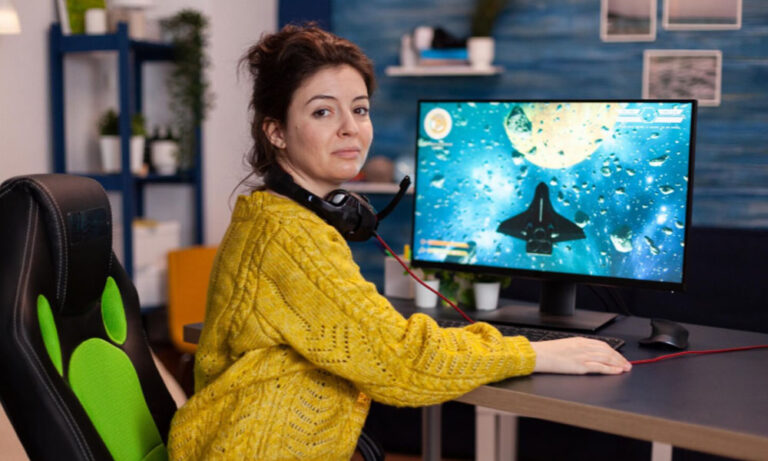
Game streaming has transformed the way people enjoy their favorite PC games. Instead of being tied to a single desktop computer, players can now access their gaming setup from different locations using remote desktop and streaming technologies. Whether you’re relaxing in another room, traveling for work, or simply want the flexibility to play from multiple devices, a reliable remote access solution can make all the difference.
One option many users consider is StarDesk, a remote desktop application that allows secure access to a computer over the internet. While game streaming performance depends on factors such as network speed and hardware, installing StarDesk can provide a convenient way to manage your gaming PC remotely and support a flexible gaming lifestyle. This guide explains how to install StarDesk and optimize your setup for a smooth and reliable remote gaming experience.
What Is Game Streaming?
Game streaming allows a computer to run a game while sending the video and audio output to another device in real time. Your inputs—such as keyboard, mouse, or controller commands—are transmitted back to the host computer, creating the feeling of playing locally.
This technology has become increasingly popular because it allows users to:
- Access their gaming PC remotely.
- Play games on laptops, tablets, or compatible mobile devices.
- Reduce the need for multiple gaming computers.
- Enjoy greater flexibility while traveling or moving around the house.
A dependable remote desktop application helps support this experience by providing secure access to the host computer.
What Is StarDesk?
StarDesk is a remote desktop solution that enables users to control their computer from another device. Instead of being physically present, you can remotely access files, applications, and desktop functions through a secure internet connection.
For gamers, StarDesk can be useful for:
- Launching game libraries
- Managing updates
- Accessing saved files
- Adjusting system settings
- Performing maintenance before or after gaming sessions
Although dedicated game-streaming software may be better suited for highly competitive gameplay, StarDesk offers a convenient option for remote PC access and general gaming management.
Why Install StarDesk?
Installing StarDesk offers several practical benefits for users who frequently access their gaming computer remotely.
Remote Accessibility
Whether you’re in another room or away from home, StarDesk lets you connect to your PC when needed.
Cross-Device Support
Many remote desktop platforms support multiple operating systems, allowing you to connect from laptops, desktops, tablets, or smartphones.
Easy File Access
Need a saved game, screenshot, or configuration file? Remote desktop access makes retrieving important files much more convenient.
Simple Computer Management
StarDesk enables you to install updates, organize game libraries, and perform maintenance without sitting directly in front of your gaming PC.
How to Install StarDesk
Installing StarDesk is generally a straightforward process.
Follow these basic steps:
- Visit the official StarDesk website.
- Download the version compatible with your operating system.
- Launch the installer.
- Follow the on-screen installation instructions.
- Create or sign in to your account if required.
- Configure remote access permissions.
- Install the companion application on the device you will use to connect remotely.
Always download software from the official source to ensure you receive authentic files and the latest security updates.
Optimize Your Internet Connection
Your network plays a major role in remote desktop performance.
For the best results:
- Connect your gaming PC using an Ethernet cable whenever possible.
- Use a stable Wi-Fi connection for your remote device.
- Avoid heavy downloads during remote sessions.
- Restart networking equipment periodically.
- Upgrade your internet plan if bandwidth is consistently limited.
Low latency and a stable connection typically matter more than maximum download speed.
Keep Your Gaming PC Ready
A well-maintained computer performs better during remote sessions.
Helpful maintenance tasks include:
- Updating your operating system
- Installing the latest graphics drivers
- Keeping storage space available
- Removing unnecessary startup programs
- Restarting your PC regularly
Routine maintenance helps improve responsiveness and overall stability.
Prioritize Security
Remote access should always be configured with security in mind.
Protect your setup by:
- Using strong, unique passwords
- Enabling two-factor authentication where available
- Keeping StarDesk updated
- Installing security updates promptly
- Logging out after completing remote sessions
These practices reduce the risk of unauthorized access while protecting your personal data.
Improve Streaming Performance
If you’re using StarDesk as part of your gaming workflow, a few adjustments can help improve the experience.
Consider the following tips:
- Lower the streaming resolution if your internet connection struggles.
- Close unnecessary applications on both devices.
- Disable background downloads during remote sessions.
- Keep antivirus software updated without scheduling scans during gaming.
- Monitor CPU and memory usage on your host computer.
Optimizing both the network and the system helps create a more responsive remote experience.
Common Uses Beyond Gaming
StarDesk isn’t limited to gaming-related tasks.
Many users also rely on it for:
- Remote work
- Online learning
- Technical support
- File transfers
- Software management
- Home computer administration
Its versatility makes it useful long after your gaming session ends.
Future of Remote Gaming
Remote computing continues to improve with advances in internet infrastructure, cloud technology, and video compression.
Future developments may include:
- Lower streaming latency
- Improved image quality
- Faster connection speeds
- Better mobile support
- Enhanced security features
- More seamless cross-platform compatibility
As these technologies mature, remote gaming and desktop access are likely to become even more accessible and reliable for users around the world.
Conclusion
Game streaming has opened up exciting new possibilities for players who want greater flexibility without sacrificing access to their gaming PC. By install StarDesk, you gain a practical way to remotely access your computer, manage game libraries, perform updates, and retrieve files from virtually anywhere.
While the overall gaming experience depends on your hardware and internet connection, following best practices—such as maintaining a stable network, keeping your software updated, and using strong security measures—can help ensure smooth and reliable remote access. Whether you’re managing your gaming setup from another room or accessing your PC while traveling, StarDesk provides a convenient solution that keeps you connected to your system whenever you need it.
