


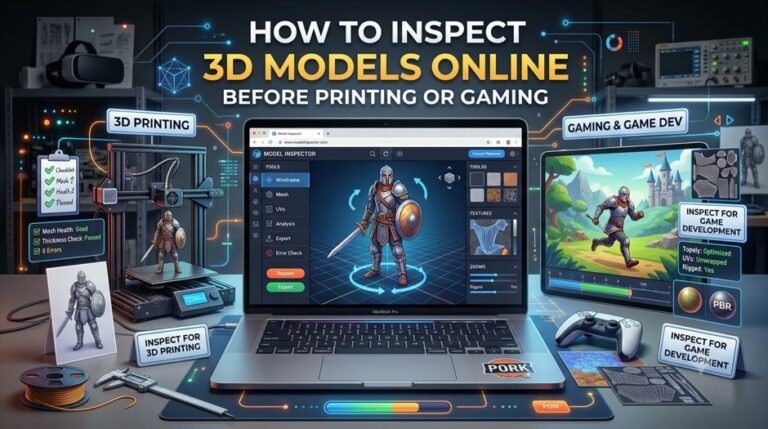
Creating a high-quality 3D model is only part of the production process. Before a model is sent to a 3D printer, imported into a game engine, or shared with a client, it should be carefully inspected to ensure everything is working as expected.
Even small issues can cause significant problems later. A flipped normal may create rendering errors, missing textures can ruin product presentations, and broken topology may lead to failed 3D prints or animation issues. Discovering these mistakes after production begins often means wasting time and resources.
Traditionally, creators relied on professional desktop software to inspect models. While these applications provide advanced editing capabilities, they are often unnecessary when the goal is simply to review a model. Today, a browser-based 3d file viewer makes this process much faster by allowing users to inspect models directly online without installing complex software.
In this guide, we’ll explain what you should check before exporting a model for 3D printing or gaming, why inspection is essential, and how online viewing tools simplify the entire workflow.
Why Model Inspection Matters
A 3D model often moves through several stages before reaching its final destination.
For example:
Concept → Modeling → Texturing → Inspection → Export → Production
Skipping the inspection stage can introduce problems that become much more expensive to fix later.
Common issues include:
- Broken geometry
- Missing textures
- Incorrect scale
- Inverted normals
- Unnecessary polygon density
- File compatibility problems
Using a 3d file viewer before exporting helps identify these issues early, allowing creators to make corrections before the model enters production.
Understanding Topology
Topology describes how polygons are connected to form a 3D object.
Good topology helps improve:
- Model stability
- Animation quality
- Rendering performance
- Printing reliability
Poor topology can create visual artifacts, slow performance, or even prevent software from processing the model correctly.
Although detailed topology editing requires professional software, Image to 3d AI 3d file viewer is often enough to detect obvious structural problems before export.
Common Topology Problems
Holes in the Mesh
Small gaps in a model may not be immediately visible, but they can cause serious problems during 3D printing.
Watertight geometry is especially important for manufacturing.
Non-Manifold Geometry
Non-manifold edges occur when surfaces connect incorrectly.
These errors frequently appear when combining multiple objects and may prevent successful slicing for 3D printing.
Overlapping Faces
Duplicate surfaces can create rendering artifacts and unpredictable shading.
Inspecting the model from multiple angles makes these problems easier to spot.
Excessive Polygon Count
High polygon counts increase file size and reduce performance.
For games and web applications, optimizing polygon density is essential.
Checking Materials and Textures
Geometry is only part of the inspection process.
Materials and textures determine how a model appears after rendering.
Before exporting, check that:
- Textures load correctly
- Materials are assigned properly
- UV mapping appears correct
- Colors match the original design
- Surface details display as expected
A browser-based 3d file viewer allows creators to rotate models under different viewing angles to verify that textures appear correctly across the entire surface.
Preparing Models for 3D Printing
3D printing requires different inspection priorities than digital visualization.
Before exporting, verify:
Correct Scale
Models should match the intended physical dimensions.
Incorrect scaling often results in unusable prints.
Watertight Geometry
The mesh should be completely closed without gaps or missing surfaces.
Surface Quality
Inspect curves and detailed areas to ensure smooth geometry.
Orientation
Checking the model orientation before exporting can reduce support material and improve printing efficiency.
Preparing Models for Game Development
Game engines require assets that balance quality with performance.
Before importing a model, inspect:
Polygon Optimization
Efficient geometry helps maintain stable frame rates.
Texture Resolution
Textures should provide sufficient detail without unnecessarily increasing memory usage.
Material Assignments
Verify that each object uses the correct material before importing into Unity or Unreal Engine.
Visual Consistency
Rotate the model from every angle to confirm there are no unexpected shading or rendering problems.
Why Browser-Based Inspection Is Becoming Popular
Many creators no longer need desktop software simply to review a file.
Instead, browser-based solutions provide several advantages.
Instant Access
Open a browser.
Upload the file.
Begin inspecting the model immediately.
Cross-Platform Compatibility
A modern 3d file viewer works across Windows, macOS, Linux, and many mobile devices.
This makes collaboration much easier for distributed teams.
Faster Reviews
Clients and teammates can inspect the same model without installing specialized software.
This speeds up approvals and reduces communication delays.
Easier Collaboration
Instead of sending screenshots, designers can share interactive models that everyone can examine from different angles.
Best Practices Before Exporting
Before sending any model to production, review the following checklist.
| Inspection Item | Why It Matters |
| Geometry | Prevents broken meshes and export errors |
| Topology | Improves printing and rendering quality |
| Materials | Ensures consistent appearance |
| Textures | Prevents missing visual details |
| Scale | Maintains accurate dimensions |
| Orientation | Reduces printing and import issues |
| File Format | Ensures compatibility with target software |
Completing these checks only takes a few minutes but can prevent hours of troubleshooting later.
Choosing the Right 3D File Viewer
Not every viewer offers the same capabilities.
When selecting a browser-based 3d file viewer, consider the following features:
- Support for multiple file formats
- Fast loading performance
- Smooth model navigation
- Texture and material preview
- Cross-platform compatibility
- Simple user interface
- Secure file handling
A reliable viewer should make inspection fast without adding unnecessary complexity.
The Future of Online 3D Inspection
As browser technologies continue to improve, online inspection tools are becoming more powerful.
Future 3d file viewers are expected to include:
- AI-assisted error detection
- Automatic topology analysis
- Material validation
- Cloud collaboration
- Real-time comments
- Faster rendering using WebGPU
These capabilities will allow creators to identify potential issues even earlier in the production process while reducing reliance on heavy desktop software.
Conclusion
A successful 3D project doesn’t end when modeling is finished. Taking a few minutes to inspect topology, textures, materials, and geometry before exporting can prevent printing failures, rendering issues, and compatibility problems later in the workflow.
Whether you’re preparing assets for manufacturing, game development, or web experiences, a reliable 3d file viewer makes it easy to review every important detail before moving to the next stage.
If you’re looking for an all-in-one solution, Image to 3D AI includes a built-in 3d file viewer that lets you preview and inspect your models directly in the browser. Instead of switching between multiple applications, you can generate, view, and verify your 3D assets in one streamlined workflow, making the entire creative process faster and more efficient.
