


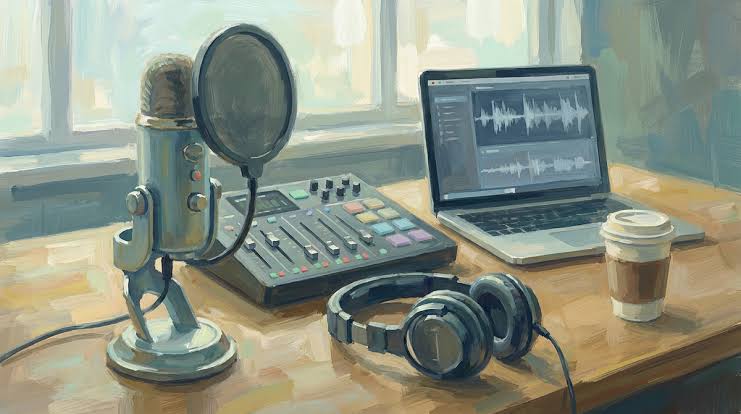
Here’s something that stops a lot of would-be podcasters cold: the idea that launching a show means buying a microphone, treating a closet with foam panels, learning audio editing software, and somehow carving out a quiet hour in a loud life. For anyone with a day job, a family, or just a realistic sense of how much time they actually have, that list is enough to shelve the idea indefinitely.
But the content? Most people already have it. Blog posts they’ve been writing for years. PDFs from conference presentations. Word docs full of research notes. PowerPoint decks that never made it to a stage. Images packed with information. The raw material for a great podcast is sitting in files and folders right now — it just hasn’t had a voice yet.
That’s the exact problem a free AI podcast generator like AIDubbing.io is built to solve. Upload your content, choose a voice, and walk away with publishable audio. No microphone. No editing. No recording booth required.
The Setup Barrier Is the Real Reason Most Podcasts Never Launch
The podcasting industry is bigger than ever — but for every show that launches, dozens of ideas die quietly on someone’s to-do list. The culprit usually isn’t a lack of things to say. It’s the gap between having content and having audio.
That gap used to require either money (professional studio time, voice talent, editing services) or time (learning to record, edit, mix, and export audio files yourself). Neither option works for someone who just wants to repurpose the 800-word blog post they already wrote into something their commuting audience can listen to.
A good podcast generator closes that gap. Not by doing something flashy or complicated, but by making the simplest possible path from written content to downloadable audio file. You bring the words; the tool brings the voice.
What AIDubbing.io’s Podcast Generator Actually Accepts
One of the things that sets this tool apart is how broadly it defines “content.” Most basic text-to-audio tools want you to paste in raw text, nothing more. AIDubbing.io’s podcast generator accepts a much wider range of input formats, which means you can meet the workflow where your content actually lives.
Supported formats include txt, PDF, doc, docx, ppt, and pptx files — so whether your content lives in a Word document, a research PDF, a PowerPoint deck you put together for a client presentation, or a plain text file, you can upload it directly and skip the copy-paste step entirely. Beyond documents, the tool also accepts images containing text, and of course you can input text directly if you’d rather type or paste your script. That combination of file-based and image-based input is genuinely unusual at this price point (which is free).
For anyone sitting on a library of existing content — blog archives, whitepapers, training materials, slide decks — this isn’t just a convenience feature. It’s what makes the tool viable as a real content repurposing workflow rather than a one-off experiment.
Turn Text to Podcast in Three Steps
The workflow is deliberately minimal. Upload your content, select a voice, click generate. That’s it.
The turn text to podcast path is the simplest: paste your script or drop in a text file, pick from a range of voice tones — British male, Australian accent, calm female, soft-spoken male, playful girl, and several others — then set your playback speed and generate. The audio comes back ready to download with no watermarks and no additional processing required.
The pdf to podcast path works the same way, just starting with a document upload instead. The tool parses the PDF content, converts it to audio in the voice you’ve selected, and delivers a clean MP3. For content creators who produce long-form written work but want to reach listeners who prefer audio, this is probably the single fastest way to build a podcast library from scratch. Take your last twelve blog posts, run them through the pdf to podcast workflow one at a time, and you’ve got a dozen episodes without recording a single word.
The image input option is worth calling out specifically. If you have infographics, scanned documents, presentation screenshots, or any other image-based content with readable text, the podcast generator can extract and voice that content too — which covers a lot of real-world use cases that other tools simply can’t handle.
Voice Options That Actually Sound Like Something You’d Choose to Listen To
Voice selection is where a lot of podcast generators fall flat. They offer one or two robotic-sounding voices, force you into whatever the default is, and call it done. AIDubbing.io takes a different approach.
The available voices span real personality differences: a trustworthy British male voice for authoritative content, an Australian accent option for a more casual vibe, a calm composed female voice for educational or instructional material, a whisper-style teenage girl voice for softer content, a diligent serious male tone for business-oriented material, and a playful girl voice for lighter content aimed at younger audiences. Playback speed is also adjustable from 0.5x up to 2x, so you can dial in the pacing that fits your format.
That range matters because the voice is the personality of your podcast. Getting it right is the difference between audio that sounds like content worth listening to and audio that sounds like a robot reading a Wikipedia page.
Who’s Using It — and Why It’s Free
The people getting the most out of this podcast generator right now fall into a few clear groups. Content strategists use the text to podcast workflow to give their written content an audio life without building a separate production pipeline. Digital marketers convert research reports and training PDFs into podcast episodes their teams can consume on the go. Indie creators and hobbyist podcasters use it to start publishing consistently without the upfront cost of recording equipment or editing software. Community managers use the pdf to podcast feature to turn internal documentation into something people actually engage with during their commute.
The free part isn’t a trial limitation with features locked behind a paywall. You sign up, you generate audio, you download it, you publish it. The output is royalty-free for both personal and commercial use, so if you’re building a monetized podcast, you can use it without worrying about licensing complications.
AIDubbing.io sits inside a broader suite of audio and video tools — including AI dubbing, subtitle translation, text-to-speech, and ASMR voice generation — so as your content needs grow, the platform grows with you.
The Content Is Already There
The hardest part of starting a podcast usually isn’t writing the content. It’s everything that happens between “I have something to say” and “here’s an episode you can play.” A capable podcast generator doesn’t write your show for you — but it removes every production obstacle that was standing between your words and your listeners’ ears.
If your content is already sitting in a document somewhere waiting to be heard, there’s no good reason to leave it there.
Generate your podcast with AI for free — upload a file, pick a voice, and have your first episode ready before the end of the day.
